6 Best AI Logo Generators for 2026: Tested and Compared
Logo creation has become easy and accessible — thanks to AI logo generators that can turn a simple prompt into multiple logo concepts instantly. They also provide beginner-friendly editing tools that let you refine the colors, typography, icons, and layout before downloading the finished design.
However, AI logo generators don’t work the same way. Some require text prompts; others need you to answer a series of questions. Results also vary in terms of number of options and design quality.
In this article, we tested seven popular logo generators to see how each compares. Here’s what we found.
Best AI Logo Generators at a Glance
Choosing an AI logo generator depends on more than the quality of its first suggestions. The best option should also give you enough control to refine the design, provide the file formats you need, and support your broader branding needs as your business grows.
| AI Logo Generator | Best For | Customization | Vector Files | Brand Integration | Price |
| Design.com | Best overall | Manual + AI editing | SVG, EPS, PDF (Free) | Automatic | Free; paid from $3/mo |
| BrandCrowd | Complete brand identity | Manual + AI editing | SVG, EPS, PDF (Free) | Automatic | Free; paid from $3/mo |
| Canva | Logos and everyday content | Manual editing | PDF, SVG (Pro) | Brand Kit | Free; Pro $15/mo |
| Wixel | AI-guided logo creation | AI + limited manual editing | SVG (Free) | Manual | Free; paid from $9/mo |
| VistaPrint | Logos for printed materials | AI editing | PDF, SVG (Free) | Print integration | Free |
| Namecheap | Simple startup branding | Manual controls | SVG (Free) | Automatic | Free |
How We Tested the AI Logo Generators
We tested all seven platforms with the same fictional business, giving us a consistent basis for evaluating the actual logo-generation experience instead of relying solely on each tool’s marketing claims. This gives us a more consistent way to compare what each AI logo generator actually produced.
Here’s the brief we used:
Business: Gathering Grace
Industry: Event planning and coordination
Keywords: Elegant, celebratory, memorable
Style: Modern and sophisticated
We evaluated each platform using eight criteria:
- Logo quality: How polished and usable the initial designs were, and whether they required significant editing.
- Relevance: How closely the generated logos matched the brief.
- Variety: How much the generated concepts differed in their icons, typography, layouts, colors, and overall creative direction.
- Customization: How much control the platform provided for refining colors, fonts, icons, layouts, spacing, and other design elements.
- Ease of use: How simple and intuitive the process was, from entering the initial brief to editing and finalizing a logo.
- File formats: What logo file formats are available for the finished logo.
- Brand tools: What additional branding tools are available for applying the logo and visual identity to other branded materials.
- Value: What users can create and download for free and what features, files, and additional tools they can get from the paid tiers.
The Best AI Logo Generators for 2026
1. Design.com — Best Overall AI Logo Generator
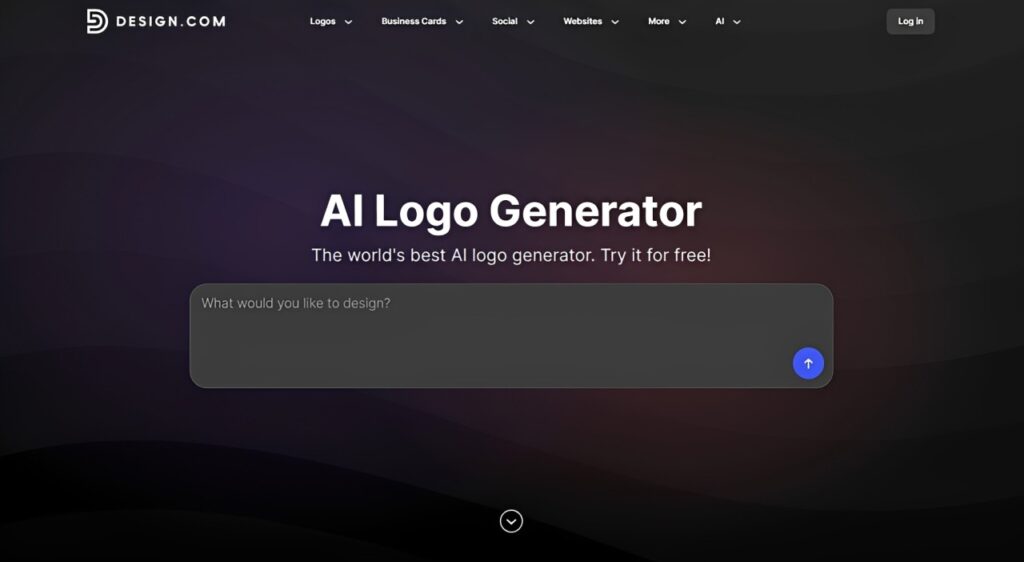
Design.com combines AI and its massive library of 500,000+ designer-made templates to create high-quality logos for small businesses, entrepreneurs, and creators building personal brands. Ranked by Pixelbundle as one of the best AI logo generators in 2026, Design.com’s AI logo maker takes a straightforward approach to logo creation.
You just enter a prompt with your business name and keywords, and the AI instantly generates thousands of logo concepts tailored to your brand and industry. From there, you can choose your preferred design and customize it until it meets your preferences. For our test business, Gathering Grace, we used this prompt:
Create a modern, sophisticated logo for Gathering Grace, an event planning and coordination business. The design should feel elegant, celebratory, and memorable, with a polished look suitable for weddings, corporate events, and special occasions.
Design.com produced a broad selection of polished concepts, with several incorporating sophisticated typography and event-inspired visual elements that suited the brief. The platform provided enough variety that we could explore different directions without repeatedly seeing minor variations of the same idea.
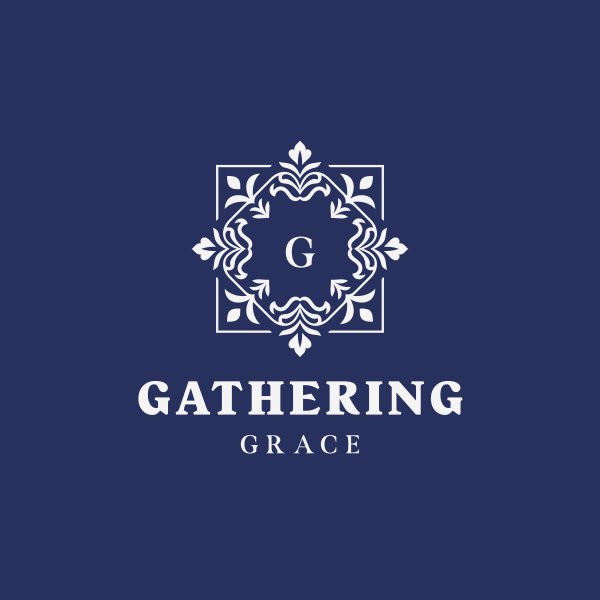
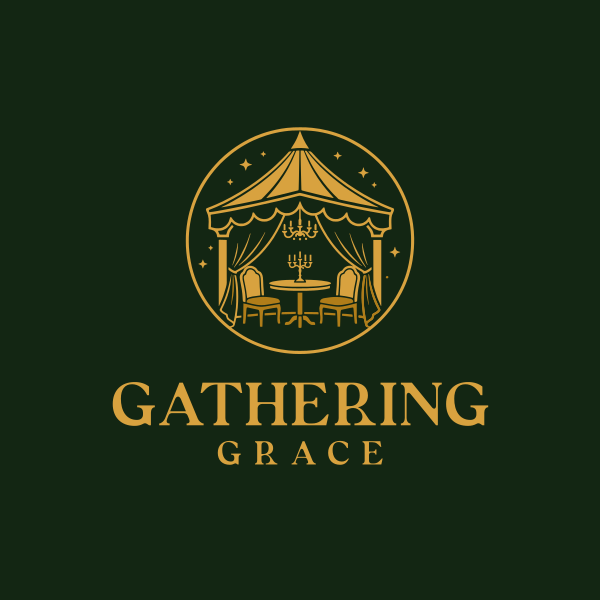
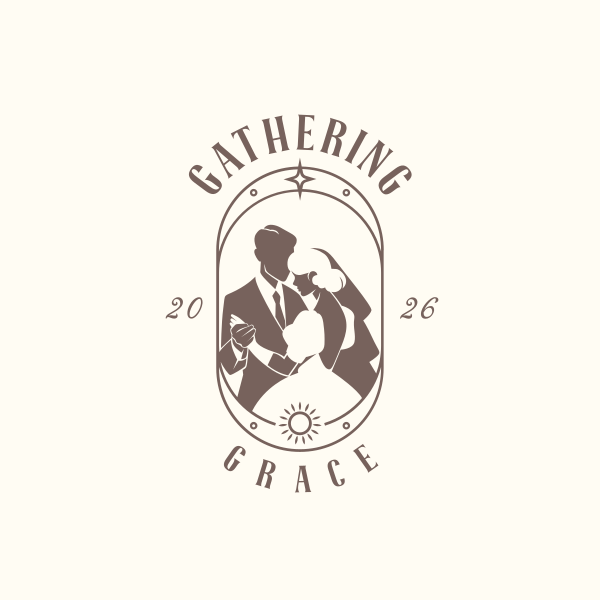
One of Design.com’s biggest advantages comes after generation. We got to adjust the fonts, colors, icons, layouts, and spacing using the drag-and-drop editor, while its AI editing tools let us request changes through a chat interface. That combination gives beginners an easy way to make changes without limiting them to the original AI output.
The finished logo can also become the basis for a broader brand identity. Design.com automatically carries brand colors and typography into other assets, with 50+ AI design tools for creating business cards, social posts, email signatures, letterheads, websites, and other materials.
What we liked:
- Generates a wide range of logo concepts in seconds
- 500,000+ designer-made logo templates that cover various industries
- Combines manual customization with conversational AI logo editing
- High-resolution PNG and JPG files plus SVG, EPS, and PDF vector formats
- Automatically carries logo colors and typography into other branded assets
Pricing: Free logo options are available, including full customization and high-resolution and vector logo files. Paid plans start at $3/month billed annually or $9/month billed monthly. The Starter plan includes unlimited logo changes, premium logo templates, and access to 50+ design tools.
Best for: Startups, entrepreneurs, and small businesses looking for an easy way to generate a logo and build the rest of their visual identity around it.
Verdict: Design.com delivered the strongest all-around experience in our comparison. The initial concepts gave us plenty of usable directions for Gathering Grace. The combination of AI editing, manual customization, professional file formats, and automatically branded assets made it easy to take the chosen logo beyond the initial design.
2. BrandCrowd — Best for Creating a Complete Brand Identity
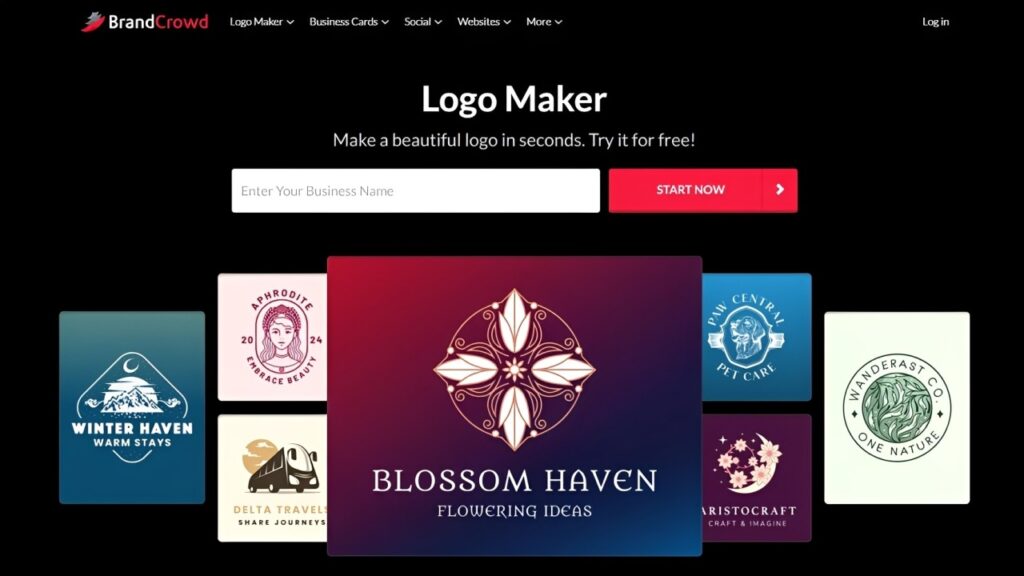
BrandCrowd combines its logo generator with a much broader collection of branding tools. It lets you generate logo ideas, customize your chosen design, and then carry the finished identity into everything — business cards, social media graphics, presentations, websites, email signatures, letterheads, printed materials, etc.
To generate logos, we entered the business name — Gathering Grace — then added the keywords “elegant,” “celebratory,” and “memorable.” BrandCrowd generated a large collection of logos with elegant typographic designs and more decorative concepts.
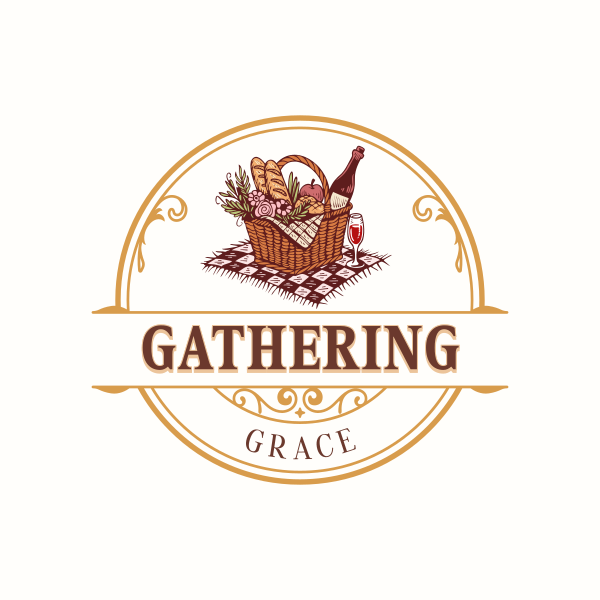
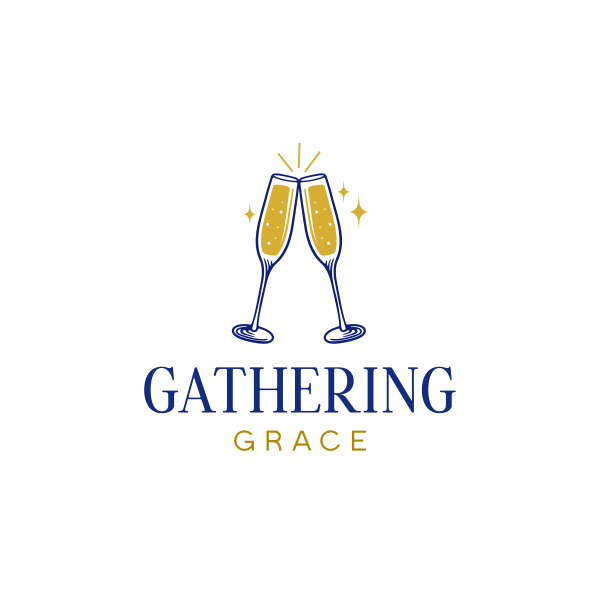
Customization also goes well beyond changing a logo’s basic colors and typography. With more than 750 fonts, including over 525 exclusive options, and more than 62,000 vector shapes, we can create more unique logo designs using the drag-and-drop tools and the AI chat editing interface.
However, BrandCrowd particularly stands out after logo creation. It automatically carries the logo across its wider design ecosystem, which includes more than 50 tools for business cards, websites, social posts, flyers, posters, presentations, menus, digital business cards, and other brand materials.
What we liked:
- 380,000+ professionally made logo templates
- Extensive customization with hundreds of fonts and thousands of vector elements
- AI-assisted editing for refining logo icons and text
- SVG, EPS, PDF, PNG, JPG, GIF, and MP4 export options
- Automatic branding across social, web, and print templates
Pricing: Free logo creation with free templates, complete editing tools, high-resolution and vector file formats. Paid plans start at $3/month billed annually or $9/month billed monthly, providing full access to premium templates and 50+ design tools.
Best for: Businesses that want their logo to serve as the starting point for a complete visual identity across digital and print materials.
Our verdict: BrandCrowd is strongest when creating the logo is only the first step. We found plenty of viable directions for Gathering Grace. However, its biggest advantage was how easily that identity could carry into other digital and print materials once the logo was chosen.
3. Canva — Best for Logos and Everyday Content Creation
Canva is one of the most popular design platforms for creating social media graphics and presentations. It also has an AI Logo Generator, powered by Dream Lab, that lets you generate logos that you can customize using the platform’s visual editor. This is ideal for businesses that want to create a logo and continue using the same platform for all their marketing needs.
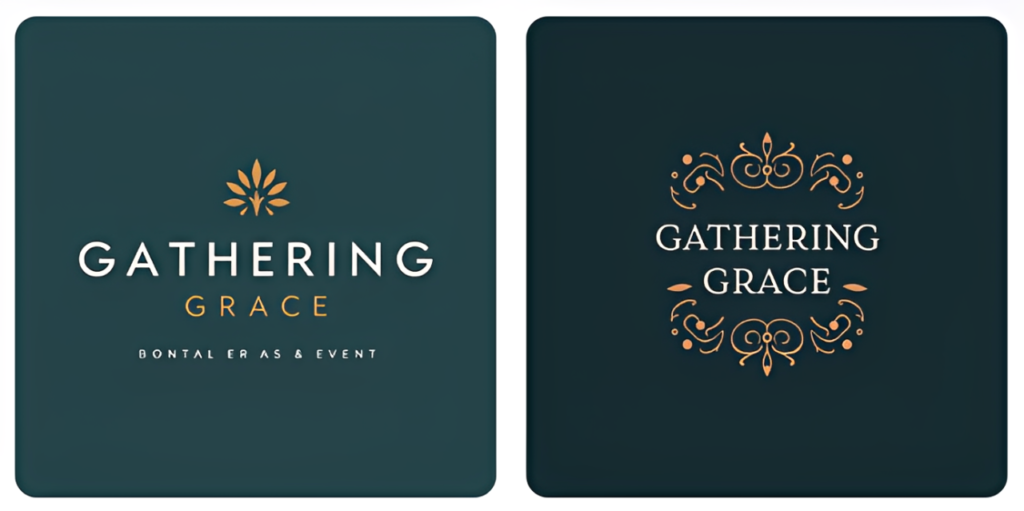
For our sample business, we entered the same prompt used with Design.com. The platform gave us three results that captured the elegant, celebratory feel we wanted. However, because of the limited number of results, we didn’t have enough design options.
For Gathering Grace, we used the same prompt we tested with Design.com and received three logo concepts. Canva followed the brief fairly closely, but the options lack variety. All three concepts relied on a similar combination of centered typography and decorative or botanical elements. Still, the concepts are good starting points, and Canva’s editor made it easy to refine the typography, colors, and other elements afterward.
Canva’s broader design ecosystem is still a major advantage, especially if you regularly create various marketing materials. However, the platform doesn’t automatically apply your new logo to other templates. Instead, Canva has the Brand Kit feature, where you can save your logo, brand colors, fonts, and other assets. While some Brand Kit functionality is available to free users, full access requires Canva Pro, so businesses wanting a more streamlined brand-management workflow will need a paid plan.
What we liked:
- Prompt-based AI logo generation from a written brand description
- Visual editor for customizing fonts, colors, graphics, and layouts
- Large library of templates, graphics, fonts, and other design assets
- PNG, JPG, and PDF download formats available, with SVG vector exports on Canva Pro
- Brand Kit and Canva’s wider design ecosystem help extend the logo across social media, presentations, and other marketing materials
Where it could be better:
- Generated logos lack variety in layout and created direction
- Full access to SVG files and the Brand Kit feature requires Canva Pro
Pricing: Free logo creation is available, although use of the AI Logo Generator is limited on the free plan. Canva Pro costs $15/month or $120/year and includes higher AI usage limits, SVG vector downloads, premium templates and design assets, expanded Brand Kit features, and additional AI tools.
Best for: Creators, marketers, and small businesses that already use Canva and want to create a logo alongside their everyday social media and marketing content.
Verdict: Canva is a strong choice for businesses that want everyday content design in one platform. Its AI Logo Generator followed the brief well, although the generated concepts offered less variety. Still, its broader design ecosystem is the main advantage, but SVG downloads and full Brand Kit functionality require Canva Pro.
4. Wixel — Best for AI-Guided Logo Creation and Brand Assets
Wixel is Wix’s AI-powered visual design platform for creating logos. It uses a conversational AI workflow where you enter your business name, description, and preferred direction. Afterward, its AI design agent, Aria, generates logos based on your information. It also lets you customize your chosen design using Wixel’s visual editing tools.
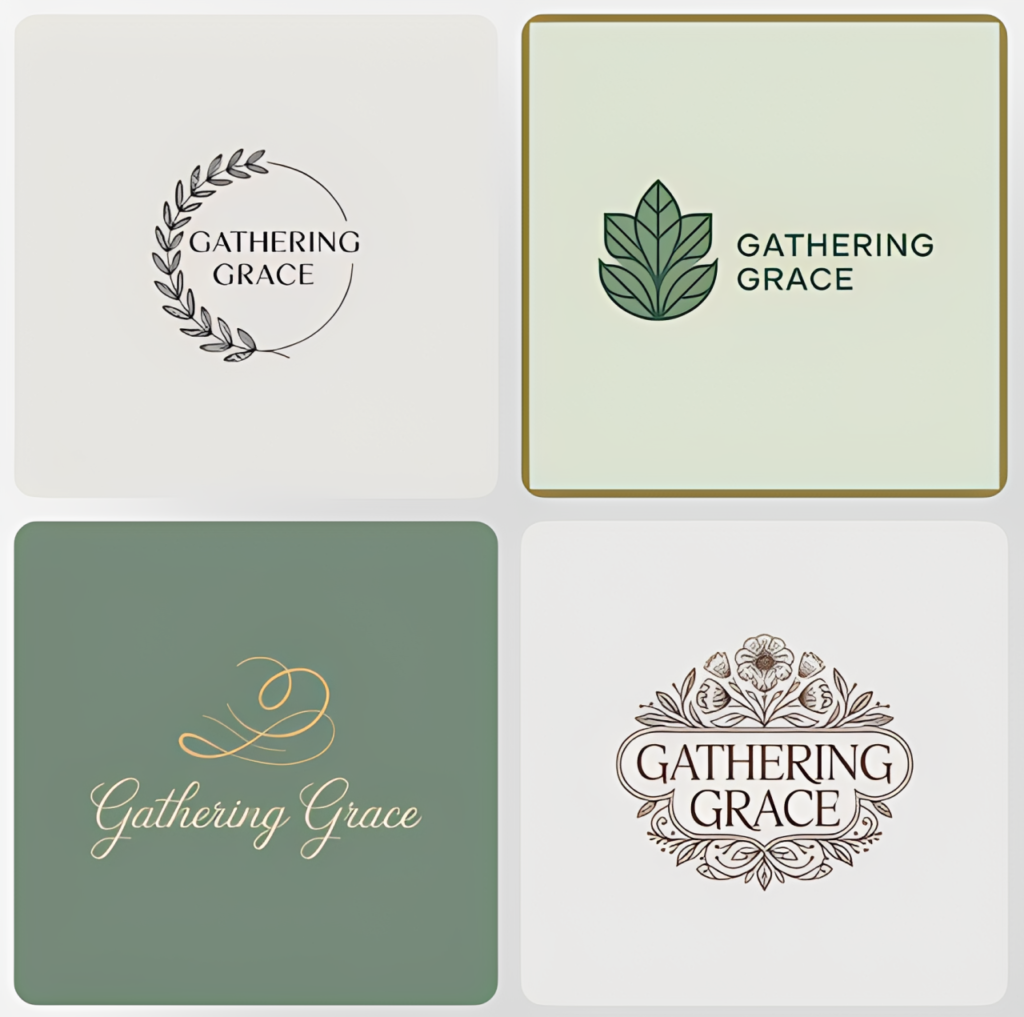
To start generating logos for Gathering Grace, we entered that business name and launched a conversation with Aria. The AI asked what the business does, then generated four logo concepts based on the information provided. Unlike Canva, the results offered noticeably different creative directions, ranging from minimalist botanical designs to a script-based monogram and a more ornate floral logo.
Initially, customization relies heavily on Aria. However, Aria can also vectorize the generated logo for free. Once vectorized, individual elements become more editable, with controls available for changes such as the background and icon colors. Still, editing is somewhat limited. In our test, the text remained grouped with the icon, so we can’t modify it separately.
What we liked:
- Conversational AI workflow that guides you through the logo creation process
- AI-assisted customization lets you request changes to generated designs
- Generated logos can be vectorized for free, unlocking additional color customization for individual elements
- Wider design platform for creating social media, video, print, and other branded content
Where it could be better:
- Most initial customization relies on AI prompts and consumes credits
- Customization remains limited even after vectorization
- Branding isn’t automatically carried across other designs and requires more setup
Pricing: Wixel offers a free plan with 120 AI credits per month, including free vectorization of generated logos and SVG downloads. Paid plans start at $9/month or $90/year and include 350 monthly AI credits, additional storage, and access to premium templates and design assets.
Best for: Small businesses and creators who prefer a conversational, AI-led logo creation process rather than extensive hands-on editing.
Verdict: Wixel provided good variety in its initial concepts, with four noticeably different interpretations of Gathering Grace. Its conversational workflow makes logo creation approachable. However, customization still isn’t as granular as a traditional logo editor. It’s best suited to users who prefer directing AI through the design process while retaining some control over the finished vector design.
6. VistaPrint — Best for Logos That Will Go Onto Printed Materials
VistaPrint helps small businesses create branded physical materials to promote their brand. Its AI logomaker uses generative AI to create original concepts based on information gathered through a series of questions. Afterward, you can choose your preferred design and modify it using the platform’s AI.
For Gathering Grace, we started by entering the business name, providing a short description of what the company does, selecting our preferred logo style (in this case, we chose “elegant”), and adding more details about our ideal logo. VistaPrint then generated four concepts, all of which captured the sophisticated direction we wanted while offering some variation in typography, monograms, decorative elements, and overall composition.
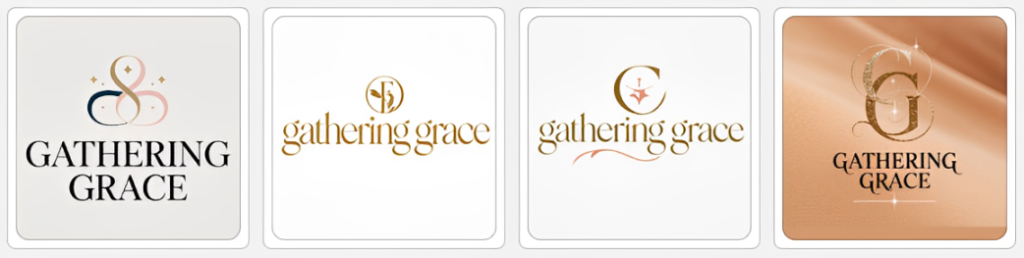
However, customization is limited. We can only make edits through AI, as there are no manual editing tools. Afterward, we downloaded the logo — the platform provides SVG, PNG, and PDF files. Then, VistaPrint’s biggest advantage was that it applies the logo directly to printed products, like business cards, flyers, posters, T-shirts, mugs, pens, and other branded materials.
What we liked:
- AI logo generation based on the business name, description, and selected style
- AI prompt-based editing
- High-resolution PNG, PDF, and SVG vector files for free
- Finished logos can be applied directly to a wide range of printed and promotional products
Where it could be better:
- No manual editing controls
- Users looking for more direction will need to continue generating or refining designs
Pricing: VistaPrint’s AI Logomaker is free to create, customize, and download. Finished logos are available as high-resolution PNG, PDF, and SVG vector files at no additional cost. Additional costs only apply when you order printed marketing materials.
Best for: Small businesses that want a free AI-generated logo with professional file formats and an easy way to turn it into printed marketing materials.
Verdict: VistaPrint stands out for logo generation, AI-powered customization, and free PNG, PDF, and SVG downloads. Manual editing controls are notably absent, but its biggest advantage is what happens after the logo is finished — you can take the design directly into business cards, flyers, signage, apparel, promotional products, and other printed materials without leaving the VistaPrint ecosystem.
7. Namecheap — Best for Simple Startup Branding
Best known as a domain registrar and web hosting provider, Namecheap offers a free logo maker for businesses establishing their online presence. It uses a guided creation process based on a business name and design preferences, then generates logo options that you can customize and download.
For Gathering Grace, we entered the business name and business type, then chose our preferred fonts, colors, and icons. The platform generated multiple options, but they were relatively basic. They relied on combining typography and icons, providing usable starting points rather than highly developed creative directions.
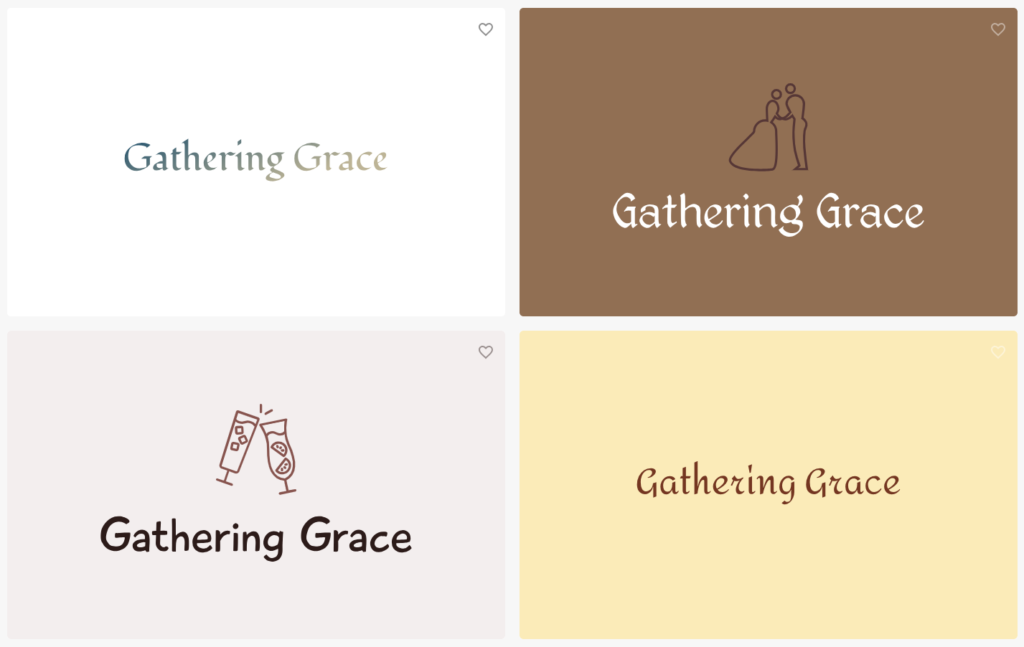
All designs are customizable using predefined controls, letting us change colors and gradients, fonts, slogans, icons, and layouts. We download the finished logo for free as PNG and SVG. Namecheap also provided logo previews on business cards, websites, and shirts.
What we liked:
- Guided creation process based on the business type, fonts, colors, and preferred icons
- Customization options for colors, gradients, fonts, slogans, icons, and layouts
- Multiple logo concepts generated from the selected design preferences
- Free PNG and SVG vector downloads
- Logo can be applied to business cards, websites, and shirts
Where it could be better:
- Generated concepts are relatively basic
- Limited customization controls
Pricing: Namecheap Logo Maker is completely free to use. You can generate, customize, and download PNG and SVG logos without a paid plan.
Best for: Startups and new businesses that want a simple, completely free way to create a basic logo with vector files.
Verdict: Namecheap offers one of the simplest and most accessible logo creation processes in this comparison. Its guided workflow and customization controls make it easy to create a usable logo without design experience, while free PNG and SVG downloads add considerable value. Still, the generated logos are fairly basic, and the editor offers less freedom than more design-focused platforms.
How to Choose an AI Logo Generator
The right AI logo generator isn’t the one with the most features. Instead, it’s the platform that can produce a logo that fits your brand and lets you use it effectively. Here are the most important factors to consider in choosing the right AI logo generator:
- Logo quality and relevance: Look for designs that reflect your business, industry, and preferred style. The strongest results should feel relevant to your brief without requiring extensive editing.
- Customization: Check how much control you have over fonts, colors, icons, layouts, and other elements. AI-assisted editing can also make refining a generated concept faster and easier, but it can also be limiting if it’s not paired with manual tools.
- Variety and originality: An ideal logo generator should provide multiple logo options with different creative directions. Look for a platform that offers variety, allowing you to explore different styles while avoiding overly generic icons and layouts.
- File formats: High-resolution files like PNG and JPG work well for digital use. However, vectors such as SVG, EPS, and PDF files are important if you need to resize your logo for print, signage, merchandise, and other applications.
- Commercial rights and licensing: Check the platform’s commercial-use and licensing terms before committing to a logo. If exclusivity or trademark registration matters to your business, review those requirements separately.
- Pricing and brand tools: Check the features you can get before upgrading to a paid plan and see if they’ll be valuable for you. Also, check if the platform can extend your logo into other branded assets.
Final Verdict
After comparing the six platforms, Design.com is our pick for the best AI logo generator in 2026.
Design.com offered the strongest overall combination of logo generation, customization, and usability. The workflow is user-friendly — start with a text prompt, explore a wide range of results, customize with manual controls or AI, and download high-resolution and vector file formats even without a paid plan.
It also stands out for what happens after the logo is finished. Design.com automatically integrates the finished logo’s brand colors and typography across all templates, letting you create branded social media graphics, business cards, websites, and other marketing materials. So, instead of recreating the same visual identity for every asset, you can build consistent branded assets in just minutes in one platform.
For startups, entrepreneurs, and small businesses, Design.com is more than just a logo generator. Instead, it’s a quick, all-in-one solution for all their branding needs.
